











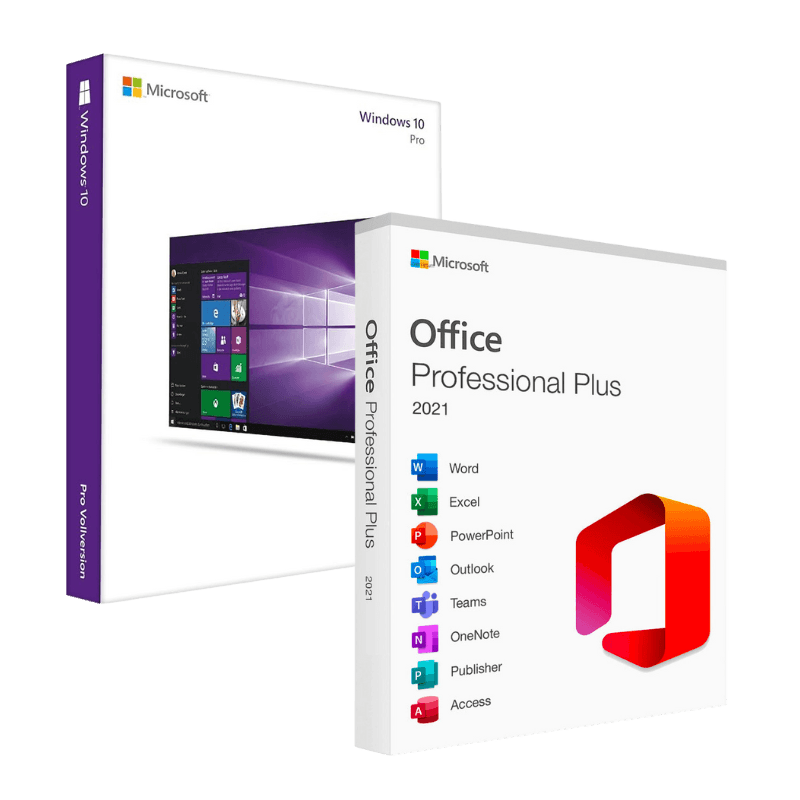

Microsoft Windows 10 Pro + Office 2021 Professional Plus Bind

Trusted Shops
Buyer Protection guaranteed refund
Original License Guaranteed by Licensel.com
| Language | Multi-Language |
|---|---|
| Validity | Perpetual (no expiry) |
| Content | Windows 10 Pro + Office 2021 Professional Plus |
| Devices | 1 or 5, depending on the chosen variant |
The Microsoft Windows 10 Pro + Office 2021 Professional Plus Bind package brings together the professional operating system and the complete Office suite in the Bind version, that is with the licenses linked to your Microsoft account. They remain perpetual licenses with no expiry, with the option of recovering and reactivating them from the account. You will receive two separate activation codes.
Why choose Microsoft Windows 10 Pro + Office 2021 Professional Plus Bind
The difference between a standard license and a Bind license shows on the day the computer has to be reinstalled or the motherboard is replaced. With a standard license you have to enter the code again and sometimes contact support; with a license linked to the account, reactivation happens by recognising the account the license is registered to.
It is the choice of anyone planning for the whole life of the computer: reinstallations, disk changes, hardware upgrades. The package also includes both products a workstation needs, the operating system and the productivity suite, at a lower price than buying them separately.
What Microsoft Windows 10 Pro + Office 2021 Professional Plus Bind is and what it is for
Windows 10 Pro adds to Home BitLocker encryption, incoming Remote Desktop, Hyper-V and joining a company domain. It remains the appropriate choice on computers that do not meet the hardware requirements of Windows 11, particularly those without TPM 2.0.
Office 2021 Professional Plus includes Word, Excel, PowerPoint, Outlook, Access, Publisher and OneNote in the version installed on the computer, which also works without a connection. It is the complete suite, with the database and layout applications absent from the Home editions.
Key features
- Licenses linked to the account
The licenses are linked to your Microsoft account and stay recoverable from there. - Reactivation after reinstalling
Once the computer is reinstalled, activation is restored by recognising the linked account. - Hardware changes handled
Replacing major components does not block the license, which stays linked to the account. - Two products, one purchase
Operating system and Office suite together, at a lower price than buying them separately. - Perpetual licenses
No annual fee and no expiry: you pay only once. - Complete Office suite
Word, Excel, PowerPoint, Outlook, Access, Publisher and OneNote installed on the computer. - BitLocker and Remote Desktop
Disk encryption and remote access to the PC, functions reserved for the Pro edition of Windows. - Support with installation
Our technicians guide both installations and the link to the account.
Feature overview of Microsoft Windows 10 Pro + Office 2021 Professional Plus Bind
| Feature | Included |
|---|---|
| Windows 10 Pro: operating system with a perpetual license | ✔ |
| Office 2021 Professional Plus: complete suite with a perpetual license | ✔ |
| Licenses linked to the Microsoft account | ✔ |
| Recovery and reactivation from the account | ✔ |
| Word, Excel, PowerPoint and Outlook | ✔ |
| Access and Publisher | ✔ |
| Official Microsoft download for both products | ✔ |
| Technical support included | ✔ |
Comparison: Bind license and standard license
| Characteristic | Standard license | Bind license |
|---|---|---|
| Activation on the computer | ✔ | ✔ |
| Link to the Microsoft account | Optional | Provided by the license |
| Recovering the license from the account | ✘ | ✔ |
| Reactivation after a reinstallation | With the code received | From the linked account |
| Reactivation after a hardware change | May need support | From the linked account |
| Perpetual license with no expiry | ✔ | ✔ |
| Operating system and Office suite | ✔ | ✔ |
| Official Microsoft download | ✔ | ✔ |
System requirements
Windows 10 requires a 1 GHz or faster processor, 2 GB of RAM for the 64-bit version, 20 GB of free disk space and a DirectX 9 compatible graphics card. It runs smoothly even on computers that are several years old. For detailed requirements see the "Requirements" tab on the product page. Office 2021 Professional Plus is then installed on the system you have just activated and needs nothing else.
Why are licenses priced so low?
As these are retail licenses previously owned and decommissioned by the former holder in accordance with EU Court ruling C-128/2011, they can be purchased at a more affordable price. These official licenses are fully compliant and guaranteed at the best price on the market.
What do I receive after purchase?
By purchasing this product you will receive the official download of the software from the Microsoft website, the license for activation and complete instructions for a correct installation.
Advantages of the Licensel License
- Fast delivery by email
You receive the license and the download link within a few minutes of your order. - Always free support
Our technicians assist you via Live Chat and email, at no additional cost. - Invoice included
The invoice is issued automatically once the purchase is complete. - Purchase protected by Trusted Shops
As a Trusted Shops partner shop, your order is protected by the official buyer guarantee.
How to buy and activate
- Choose your edition
Select the version you need and complete your order in a few clicks. - Receive the license by email
Within a few minutes you receive the official download link and the license for activation. - Install and activate
Download the software from the manufacturer's official website and enter the license to complete activation. - Support included
For any question our technicians are available via Live Chat and email.
How to download and install Microsoft Windows 10 Pro + Office 2021 Professional Plus Bind
After purchase you receive by email two separate licenses and the official Microsoft download links. Prepare the Windows installation stick with the Media Creation Tool, install the system and activate it with the first license under Settings, System, Activation, signing in with the account the license is linked to. Then download the Office package from the Microsoft website and activate it with the second license. Our technicians can guide you through both steps.
Need help with installation?
No problem: our technicians are available via the Live Chat at the bottom right of the website to assist you in real time.
Frequently asked questions
What does a Bind license mean?
Do I need a Microsoft account?
Can I change computer?
Do I receive one code or two?
Are the licenses perpetual?
DIGITAL Delivery
Guaranteed instant delivery
Customer Support
Always available.
Money-back guarantee
Total satisfaction guarantee.
TrustedShops
Buy with certified confidence.





















