











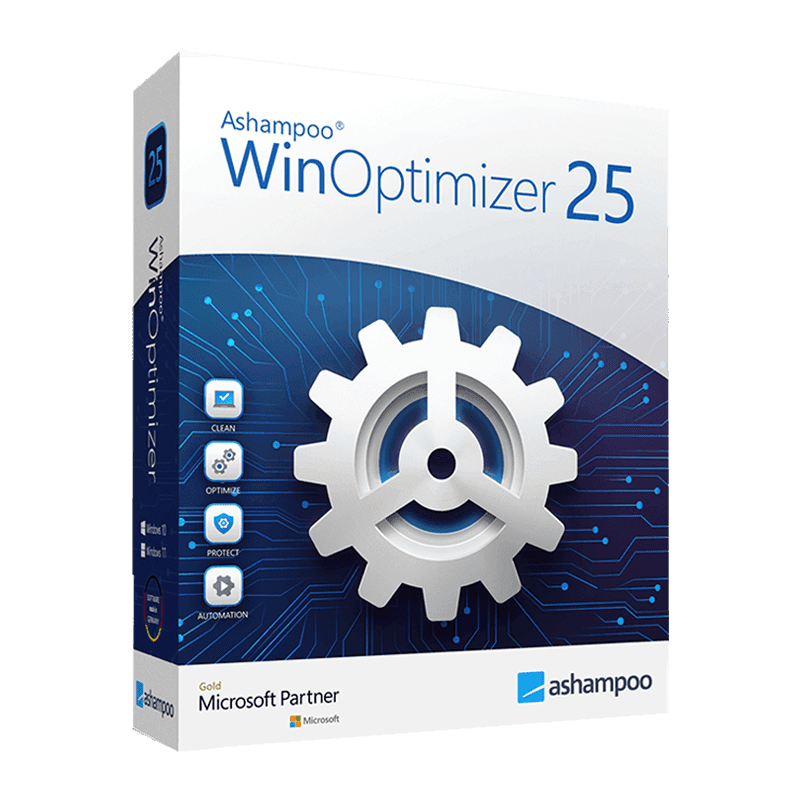

Ashampoo Winoptimizer

Trusted Shops
Buyer Protection guaranteed refund
Original License Guaranteed by Licensel.com
Available in several versions: select the one you need among the variants on this page.
| Language | Italian, Multi-Language |
|---|---|
| License Duration | Perpetual (no expiry) |
| Operating System | Windows |
| Users | 1 |
Ashampoo WinOptimizer is the maintenance suite that tidies up a Windows computer weighed down by use: it removes junk files, cleans the system registry, disables the programs that slow down startup and erases browsing traces. It is designed for private users, offices and small businesses that want to extend the useful life of a PC without adjusting dozens of settings by hand. The license is perpetual and is delivered with its product key.
Why choose Ashampoo Winoptimizer
A computer does not slow down suddenly: it gradually accumulates temporary files never deleted, registry entries left behind after uninstalling programs, services that start at power-on and are no longer needed. Each single item weighs little, but together they lengthen startup times and reduce available space.
The tools included in Windows cover only part of the job, and for the rest you need to know where to intervene. WinOptimizer brings the operations together in a single panel with an initial analysis showing what is worth doing, so even non-experts get a concrete result without risking the removal of something important.
What Ashampoo Winoptimizer is and what it is for
Ashampoo WinOptimizer gathers dozens of maintenance modules in a single interface. The one-click cleanup analyses the system and removes temporary files, browser caches, logs and registry entries that are no longer valid. Startup management shows which programs launch with Windows and how much they weigh on boot times.
Alongside cleaning there are control tools: uninstallation that also removes leftover folders and keys, secure deletion for files that must not be recoverable, disk defragmentation and a diagnostics section reporting temperatures, installed components and performance. Every operation can be scheduled to run periodically without having to think about it.
Key features
- One-click cleanup
A single analysis identifies temporary files, caches, logs and invalid registry entries, and removes them after showing you what will be deleted. - Startup program management
See which applications launch with Windows and how much they affect boot times, and disable them without uninstalling. - Complete uninstallation
Removes the program together with folders, configuration files and registry keys that normal uninstalls leave behind. - Secure file deletion
Overwrites data before deleting it, so confidential documents can no longer be recovered with restore software. - Browsing trace cleanup
History, cookies and caches of installed browsers are cleaned in a single operation, with the option to exclude the sites you want to keep. - Disk optimisation
Defragmentation for traditional disks and specific optimisation for solid state drives, with no unnecessary wear. - Automatic maintenance
Set the frequency once and the program runs cleaning operations in the background, keeping the system tidy over time. - Diagnostics and system information
Installed components, temperatures, used space and performance gathered in a single panel, useful for understanding what limits the computer.
Feature overview of Ashampoo Winoptimizer
| Feature | Available |
|---|---|
| One-click cleanup of junk files and registry | ✔ |
| Startup program management | ✔ |
| Uninstallation with leftover removal | ✔ |
| Disk defragmentation and optimisation | ✔ |
| Secure, irreversible file deletion | ✔ |
| Browsing trace cleanup | ✔ |
| Scheduled automatic maintenance | ✔ |
| Hardware diagnostics and system information | ✔ |
Comparison: manual maintenance and WinOptimizer
| Maintenance task | Windows tools | WinOptimizer |
|---|---|---|
| Temporary file cleanup | Partial | ✔ |
| Registry cleanup | ✘ | ✔ |
| Startup program management | ✔ | ✔ |
| Complete removal of leftovers | ✘ | ✔ |
| Secure file deletion | ✘ | ✔ |
| Browsing trace cleanup | Partial | ✔ |
| Scheduled automatic maintenance | ✘ | ✔ |
| Hardware diagnostics and benchmark | ✘ | ✔ |
System requirements
Ashampoo Winoptimizer is compatible with Windows 10 and Windows 11. For detailed requirements see the "Requirements" tab on the product page.
Why are licenses priced so low?
As these are retail licenses previously owned and decommissioned by the former holder in accordance with EU Court ruling C-128/2011, they can be purchased at a more affordable price. These official licenses are fully compliant and guaranteed at the best price on the market.
What do I receive after purchase?
By purchasing this product you will receive the official download of the software from the Ashampoo website, the license for activation and complete instructions for a correct installation.
Advantages of the Licensel License
- Fast delivery by email
You receive the license and the download link within a few minutes of your order. - Always free support
Our technicians assist you via Live Chat and email, at no additional cost. - Invoice included
The invoice is issued automatically once the purchase is complete. - Purchase protected by Trusted Shops
As a Trusted Shops partner shop, your order is protected by the official buyer guarantee.
How to buy and activate
- Choose your edition
Select the version you need and complete your order in a few clicks. - Receive the license by email
Within a few minutes you receive the official download link and the license for activation. - Install and activate
Download the software from the manufacturer's official website and enter the license to complete activation. - Support included
For any question our technicians are available via Live Chat and email.
How to download and install Ashampoo Winoptimizer
The download takes place from the official Ashampoo website through the link you receive by email. Download the installer, run it and follow the wizard: at the end the software asks for the license you received to complete activation. The license is tied to the device on which it is activated. If you prefer to be guided step by step, our technicians can assist you during installation.
Need help with installation?
No problem: our technicians are available via the Live Chat at the bottom right of the website to assist you in real time.
Frequently asked questions
Is cleaning the system registry risky?
What is the difference between the available versions?
Is the license perpetual?
Do I still need an antivirus?
Does it work on Mac?
DIGITAL Delivery
Guaranteed instant delivery
Customer Support
Always available.
Money-back guarantee
Total satisfaction guarantee.
TrustedShops
Buy with certified confidence.





















