











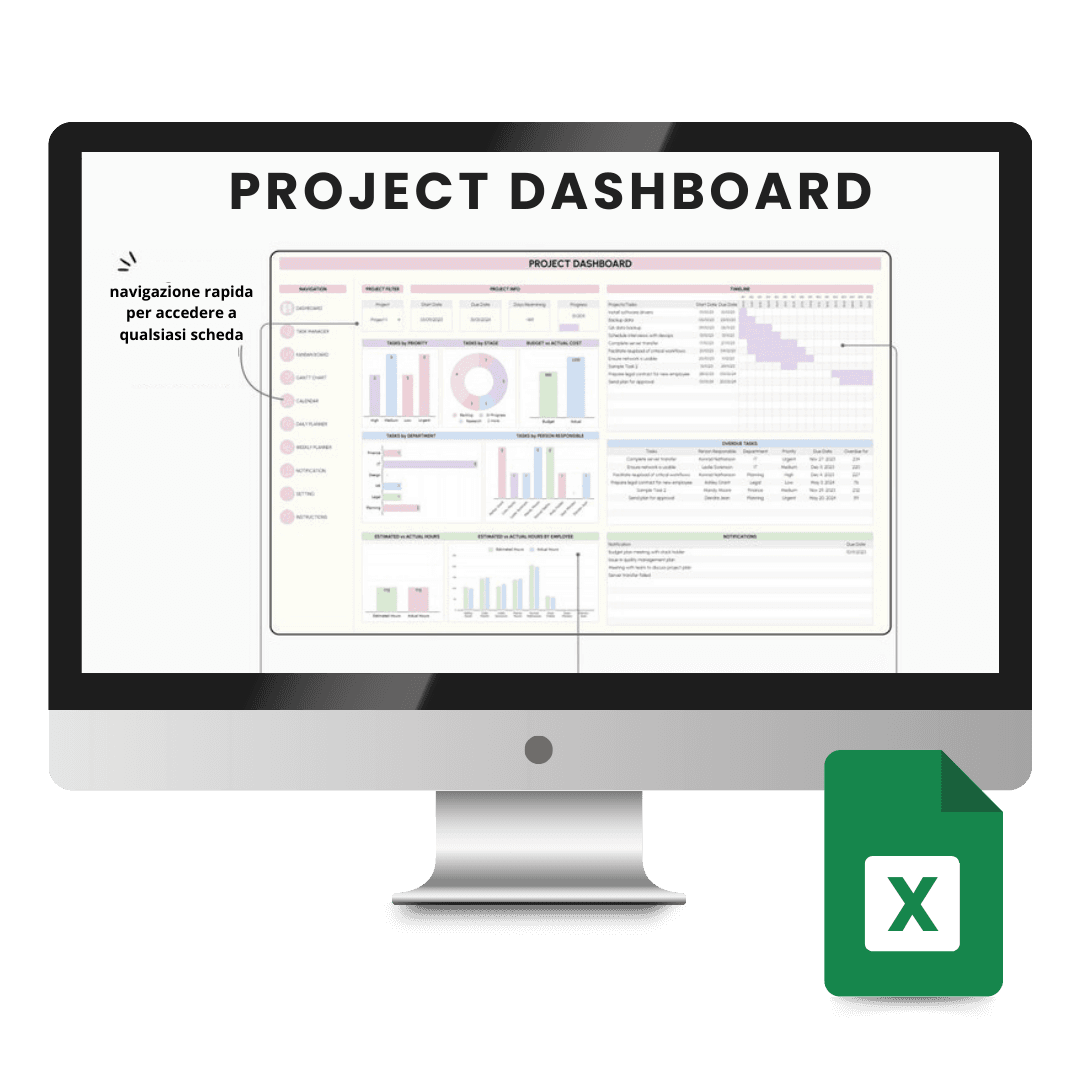

Template Excel Project Management

Trusted Shops
Buyer Protection guaranteed refund
Secure Purchase Guaranteed by Licensel.com
| Language | Italian, Multi-Language |
|---|---|
| Access | Files yours forever |
| Compatibility | Microsoft Excel |
| Format | Spreadsheet .xlsx |
Excel Project Management Template is the ready-made spreadsheet for planning a project and tracking its progress: task list, dates, owners, Gantt chart and completion percentages are already set up and linked. It is designed for project managers, teams and small businesses managing projects without dedicated software. The file is yours forever.
Why choose Template Excel Project Management
Project management software is powerful but requires the whole team to adopt it, learn it and keep it updated. In practice, in small groups or on short projects, that adoption does not happen and the plan ends up in a spreadsheet anyway, often built in a hurry and without formulas.
This template starts from that observation and offers the spreadsheet already done properly: dates link to durations, the Gantt chart draws itself, completion percentages feed the summary. The result is a tool everyone can open, with the structure a project plan should have.
What Template Excel Project Management is and what it is for
The Excel Project Management Template gathers the project's tasks in a list where every row carries owner, priority, start and end dates, duration and completion percentage. From this data the Gantt chart and the summaries are generated automatically.
The Gantt chart shows how tasks are distributed over time and makes overlaps and delays immediately visible. The summaries count completed, ongoing and overdue tasks, while resource assignment highlights who is overloaded in a given period. Milestones mark the project's intermediate goals.
What it contains
- Structured task list
Every task carries owner, priority, dates, duration and status: everything needed to follow it is on one row. - Automatic Gantt chart
The time representation is drawn from the dates entered and makes overlaps and delays visible at a glance. - Completion percentages
The status of each task feeds the project's overall progress, calculated automatically. - Resource assignment
You see who is working on what and where the workload concentrates in a given period. - Milestones and deadlines
Intermediate goals are highlighted and tasks past their planned date are flagged. - Project summary
Completed, ongoing and delayed tasks counted automatically, for an immediate reading of the status. - Adaptable structure
Columns, phases and formulas can be freely modified to reflect the kind of project you run. - No installation
It is an Excel file: you download it, open it and share it with the team with no programs to install.
Contents of Template Excel Project Management
| Included sheet | What it is for |
|---|---|
| Task list | Project tasks with owner and priority |
| Time planning | Start and end dates with calculated duration |
| Gantt chart | Visual representation of progress over time |
| Progress status | Completion percentage by task and by project |
| Resource assignment | Who works on what and with what workload |
| Milestones and deadlines | Intermediate goals and dates to meet |
| Project summary | Completed, ongoing and delayed tasks |
Comparison: the Licensel templates compared
| Template | Area | Program | Ideal for |
|---|---|---|---|
| Excel Client Tracker | Client and activity management | Excel | Freelancers and agencies |
| Excel Company Accounting | Monthly and annual accounting | Excel | Small businesses and craftspeople |
| Excel Project Management | Project planning and progress | Excel | Project managers and teams |
| PowerPoint Business Presentation | Presentations and pitches | PowerPoint | Anyone presenting to clients and investors |
| Access | Files yours forever | No expiry | No renewal |
| Customisation | Complete | Colours, logos and entries | No limits |
Compatibility
The file opens with Microsoft Excel on Windows and macOS and remains compatible with the main alternative spreadsheets. For details see the "Requirements" tab on the product page.
What do I receive after purchase?
By purchasing this product you receive by email the link to download the files, together with the instructions to open and customise them. The files are yours forever: no expiry, no renewal, no activation to perform.
Advantages of buying on Licensel
- Fast delivery by email
You receive the download link within a few minutes of your order. - Files yours forever
You buy once: the files stay yours, with no expiry and no renewals. - Always free support
Our technicians assist you via Live Chat and email, at no additional cost. - Invoice included
The invoice is issued automatically once the purchase is complete. - Purchase protected by Trusted Shops
As a Trusted Shops partner shop, your order is protected by the official buyer guarantee.
How to buy and download
- Add to basket
Complete your order in a few clicks, with no complicated registration. - Receive the link by email
Within a few minutes you receive the link to download the files to your computer. - Open and customise
Open the file with the indicated program and replace the sample data with your own. - Support included
For any question our technicians are available via Live Chat and email.
Need help?
No problem: our technicians are available via the Live Chat at the bottom right of the website to assist you in real time.
Frequently asked questions
Does it replace project management software?
Is the Gantt chart automatic?
Can I use it for several projects?
Do I need a license or an activation code?
Can I customise it with my own data?
DIGITAL Delivery
Guaranteed instant delivery
Customer Support
Always available.
Money-back guarantee
Total satisfaction guarantee.
TrustedShops
Buy with certified confidence.





















