











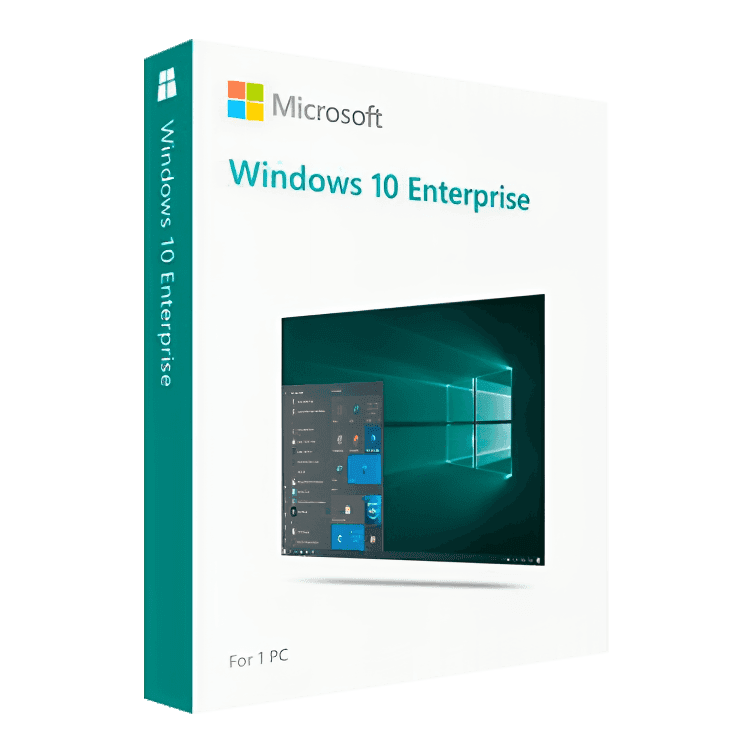
Microsoft Windows 10 Enterprise

Trusted Shops
Buyer Protection guaranteed refund
Original License Guaranteed by Licensel.com
| Language | Multi-Language |
|---|---|
| Validity | Perpetual (no expiry) |
| Edition | Enterprise |
| PCs | 1 |
Microsoft Windows 10 Enterprise is the edition intended for organisations, with a perpetual license that never expires. It includes everything Pro offers and adds AppLocker, Credential Guard, Device Guard and the tools for deployment across multiple workstations. It is the edition for IT departments managing fleets of machines. The license is delivered with its product key.
Why choose Microsoft Windows 10 Enterprise
When there are dozens of computers to manage, the problem is no longer configuring the single machine but imposing the same rules on all of them. The Enterprise edition exists for that: it defines which programs may run, protects credentials from attacks that extract them from memory and controls the code started at boot.
The additional functions are all oriented to security and control. AppLocker prevents unapproved software from running, Credential Guard isolates credentials in a virtualised environment and BranchCache reduces traffic to branch offices by caching the most frequently requested content.
What Microsoft Windows 10 Enterprise is and what it is for
Windows 10 Enterprise is the most complete version of the operating system, designed to be deployed and administered centrally. The user experience is identical to Pro: what changes are the tools available to whoever administers the computers, not to whoever uses them.
Ordinary support for Windows 10 ended on 14 October 2025. Many organisations nevertheless keep fleets on Windows 10 because the hardware in use does not meet the requirements of Windows 11: the license still activates and the system still works normally.
Key features
- AppLocker
Defines which applications may run: unapproved software is blocked before it starts. - Credential Guard
Isolates credentials in a virtualised environment, making attacks that read them from memory ineffective. - Device Guard
Allows only signed and recognised code to run, reducing the attack surface. - BranchCache
Caches the most requested network content in branch offices, reducing traffic to head office. - Deployment across workstations
Tools designed to install and configure the system on many computers from the same image. - Advanced update management
Full control over which updates reach the machines and when. - All the Pro functions
BitLocker, Remote Desktop, Hyper-V, domain and Group Policy remain included. - Up to 6 TB of RAM
The highest limit among the client editions, for workstations with very large configurations.
Feature overview of Microsoft Windows 10 Enterprise
| Feature | Included |
|---|---|
| All the functions of the Pro edition | ✔ |
| AppLocker: control over which programs can run | ✔ |
| Credential Guard: protection of credentials | ✔ |
| Device Guard and controlled boot | ✔ |
| BranchCache for branch offices | ✔ |
| Advanced update management | ✔ |
| Deployment across multiple workstations | ✔ |
| Up to 6 TB of supported RAM | ✔ |
Comparison: Windows 10 Home, Pro and Enterprise
| Feature | Home | Pro | Enterprise |
|---|---|---|---|
| Interface, apps and Microsoft Store | ✔ | ✔ | ✔ |
| Windows Update and Microsoft Defender | ✔ | ✔ | ✔ |
| BitLocker (disk encryption) | ✘ | ✔ | ✔ |
| Incoming Remote Desktop | ✘ | ✔ | ✔ |
| Hyper-V (virtual machines) | ✘ | ✔ | ✔ |
| Company domain and Active Directory | ✘ | ✔ | ✔ |
| AppLocker and Credential Guard | ✘ | ✘ | ✔ |
| Maximum supported RAM | 128 GB | 2 TB | 6 TB |
System requirements
Windows 10 requires a 1 GHz or faster processor, 2 GB of RAM for the 64-bit version, 20 GB of free disk space and a DirectX 9 compatible graphics card. It runs smoothly even on computers that are several years old. For detailed requirements see the "Requirements" tab on the product page.
Why are licenses priced so low?
As these are retail licenses previously owned and decommissioned by the former holder in accordance with EU Court ruling C-128/2011, they can be purchased at a more affordable price. These official licenses are fully compliant and guaranteed at the best price on the market.
What do I receive after purchase?
By purchasing this product you will receive the official download of the software from the Microsoft website, the license for activation and complete instructions for a correct installation.
Advantages of the Licensel License
- Fast delivery by email
You receive the license and the download link within a few minutes of your order. - Always free support
Our technicians assist you via Live Chat and email, at no additional cost. - Invoice included
The invoice is issued automatically once the purchase is complete. - Trusted Shops: guaranteed purchase
Licensel is part of Trusted Shops, which protects your purchase with the official buyer guarantee.
How to buy and activate
- Choose your edition
Select the version you need and complete your order in a few clicks. - Receive the license by email
Within a few minutes you receive the official download link and the license for activation. - Install and activate
Download the software from the manufacturer's official website and enter the license to complete activation. - Support included
For any question our technicians are available via Live Chat and email.
How to download and install Microsoft Windows 10 Enterprise
After purchase you receive by email the license and the link to the official Microsoft Media Creation Tool. The tool downloads Windows 10 and prepares a bootable USB stick or an ISO file. Start the computer from the stick for a clean installation, or run the file directly from Windows for an upgrade that keeps files and programs. When finished, enter the license you received under Settings, System, Activation.
Need help with installation?
No problem: our technicians are available via the Live Chat at the bottom right of the website to assist you in real time.
Frequently asked questions
What is the difference from Windows 10 Pro?
Do I need a company domain to use it?
Does Windows 10 still receive updates?
Is the license perpetual?
On how many PCs can I activate it?
DIGITAL Delivery
Guaranteed instant delivery
Customer Support
Always available.
Money-back guarantee
Total satisfaction guarantee.
TrustedShops
Buy with certified confidence.





















