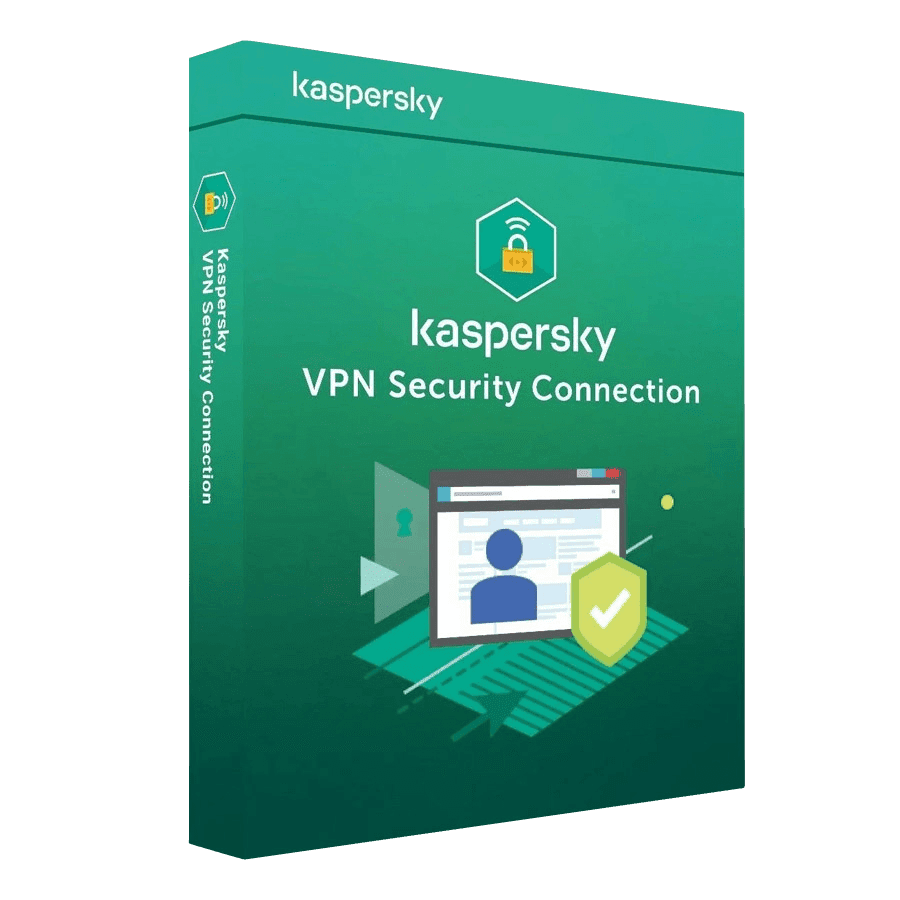

Kaspersky VPN Secure Connection

Trusted Shops
Buyer Protection guaranteed refund
Original License Guaranteed by Licensel.com
| Language | Italian, Multi-Language |
|---|---|
| License Duration | Annual (renewable) |
| Operating System | Windows, macOS, Android and iOS |
| Users | 5 |
Kaspersky VPN Secure Connection encrypts your internet connection and hides your IP address on Windows, macOS, Android and iOS, with a single license valid for 5 devices. It is designed for anyone often working from public wi-fi, for travellers and for those wanting to limit tracking while browsing. The license is annual and is delivered by email with the activation code.
Why choose Kaspersky VPN Secure Connection
Every time you connect to the wi-fi of a café, hotel or airport, your traffic crosses an infrastructure you know nothing about. On an unencrypted connection, anyone sharing that network can observe the pages visited and, in the worst cases, intercept data entered in forms. This is not a theoretical scenario: it is why banks advise against transacting from public networks.
A VPN solves the problem at its root by creating an encrypted tunnel between device and server: what passes inside stays unreadable to anyone on the same network, including whoever runs it. In addition, the IP address visible to websites becomes the server's, which reduces profiling and lets you reach home services even when abroad.
What Kaspersky VPN Secure Connection is and what it is for
Kaspersky VPN Secure Connection routes the device's traffic through an intermediate server, encrypting everything that goes in and out. Protection is turned on with a single switch and can start by itself when you connect to an unprotected wi-fi network, with nothing to remember.
Servers are spread across many countries and you can choose which one the connection exits from, useful for reaching your own country's services while travelling. If the VPN connection drops, traffic is stopped rather than continuing in the clear, so data is never exposed by accident. The same license protects five devices across computers, smartphones and tablets.
Key features
- Traffic encryption
Everything you send and receive passes through an encrypted channel: anyone sharing the same network cannot read pages, messages or data entered in forms. - IP address masking
The sites you visit see the VPN server's address instead of yours, reducing profiling based on geographic origin. - Automatic activation on public networks
Protection switches on by itself when the device connects to open wi-fi, with nothing to remember each time. - Servers in several countries
You can choose which country the connection exits from, useful for reaching home services while abroad. - Block if the connection drops
If the VPN goes down, traffic is stopped rather than continuing in the clear, so it is never exposed by accident. - Protection on every device
The same license covers Windows and Mac computers, Android and iOS smartphones and tablets, according to the number of activations. - No configuration complexity
A single switch starts protection: no network settings and no technical knowledge required. - DNS requests on the VPN servers
The addresses of the sites you visit are resolved by the service's servers and not by your provider's, which therefore keeps no browsing history.
Feature overview of Kaspersky VPN Secure Connection
| Feature | Available |
|---|---|
| Traffic encryption on any network | ✔ |
| IP address masking | ✔ |
| Servers spread across several countries | ✔ |
| Automatic activation on unprotected networks | ✔ |
| No noticeable slowdown while browsing | ✔ |
| Protection for computers, smartphones and tablets | ✔ |
| Automatic block if the connection drops | ✔ |
| Setup with a single switch | ✔ |
Comparison: browsing with and without a VPN
| Situation | Without VPN | With VPN |
|---|---|---|
| Traffic on public wi-fi networks | In the clear | Encrypted |
| IP address visible to websites | Real | Hidden |
| History visible to the network operator | Yes | No |
| Payment data on an untrusted network | Exposed | Protected |
| Access to services while travelling | Limited by country | As if at home |
| Advertising tracking through IP | Possible | Hindered |
| Remote connection to company networks | Unprotected | Protected |
System requirements
Kaspersky VPN Secure Connection is compatible with Windows, macOS, Android and iOS: the license covers devices on different systems. For detailed requirements see the "Requirements" tab on the product page.
Why are licenses priced so low?
As these are retail licenses previously owned and decommissioned by the former holder in accordance with EU Court ruling C-128/2011, they can be purchased at a more affordable price. These official licenses are fully compliant and guaranteed at the best price on the market.
What do I receive after purchase?
By purchasing this product you will receive the official download of the software from the Kaspersky website, the license for activation and complete instructions for a correct installation.
Advantages of the Licensel License
- Fast delivery by email
You receive the license and the download link within a few minutes of your order. - Always free support
Our technicians assist you via Live Chat and email, at no additional cost. - Invoice included
The invoice is issued automatically once the purchase is complete. - Trusted Shops guarantee
Licensel is a Trusted Shops partner shop: every order is covered by the official buyer guarantee.
How to buy and activate
- Choose your edition
Select the version you need and complete your order in a few clicks. - Receive the license by email
Within a few minutes you receive the official download link and the license for activation. - Install and activate
Download the software from the manufacturer's official website and enter the license to complete activation. - Support included
For any question our technicians are available via Live Chat and email.
How to download and install Kaspersky VPN Secure Connection
After purchase you receive the activation code and the official download link by email. Download Kaspersky VPN Secure Connection from the kaspersky.com website, install it and enter the code you received at first launch: protection starts immediately and the program automatically downloads definition updates. To protect smartphones and tablets too, simply install the app and sign in with the same account. If you prefer to be guided step by step, our technicians can assist you during installation.
Need help with installation?
No problem: our technicians are available via the Live Chat at the bottom right of the website to assist you in real time.
Frequently asked questions
On how many devices can I use it?
Does the VPN slow down browsing?
Do I still need an antivirus?
How is the license activated?
Can I protect smartphones and tablets too?
DIGITAL Delivery
Guaranteed instant delivery
Customer Support
Always available.
Money-back guarantee
Total satisfaction guarantee.
TrustedShops
Buy with certified confidence.