











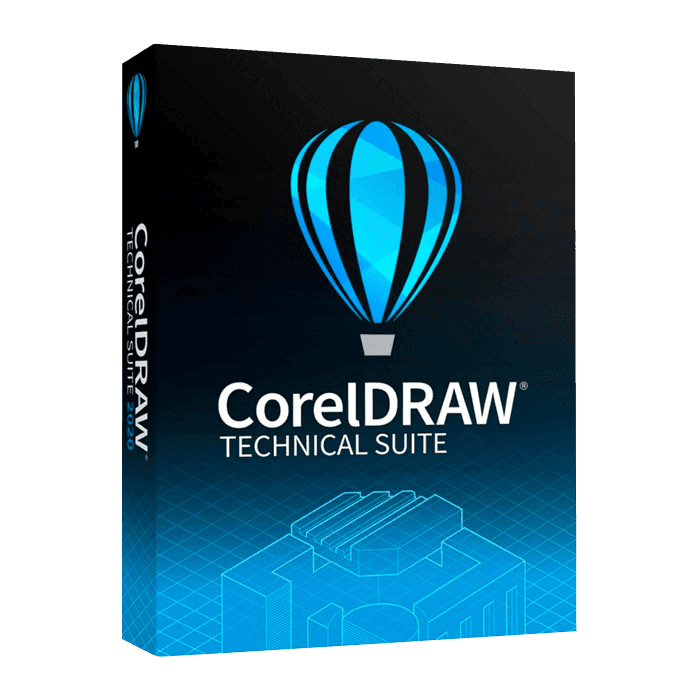

Coreldraw Technical Suite

Trusted Shops
Buyer Protection guaranteed refund
Original License Guaranteed by Licensel.com
Available in several versions: select the one you need among the variants on this page.
| Language | Italian, Multi-Language |
|---|---|
| License Duration | Perpetual (no expiry) |
| Operating System | Windows |
| Users | 1 |
CorelDRAW Technical Suite is the collection of applications for illustrated technical documentation: maintenance manuals, spare parts catalogues, assembly diagrams, exploded views and instructions for use. It combines technical drawing with vector illustration and imports CAD files directly, so design drawings become publishable illustrations. It is the tool of technical offices, manufacturing companies and technical writing teams. The license is perpetual and is delivered with its product key.
Why choose CorelDRAW Technical Suite
Technical documentation grows out of a recurring problem: drawings arrive from the design department in CAD format, full of information the end reader does not need, and must be turned into clear illustrations. Redrawing everything by hand in a graphics program is slow and introduces errors; importing the CAD and working on it keeps proportions correct and drastically cuts the time.
Technical Suite is built around that step. It adds to the CorelDRAW engine the tools technical drawing requires, dimensions that update, standard symbols, isometric projections and the ability to reuse already drawn components, and closes the cycle by publishing the finished manual as a PDF or in formats for online consultation.
What CorelDRAW Technical Suite is and what it is for
CorelDRAW Technical Suite includes the technical drawing environment, CorelDRAW's vector illustration and PHOTO-PAINT's photo editing, plus the publishing modules. The typical flow starts with importing the product's CAD file, continues with creating the necessary views, adding dimensions, numbered callouts and legends, and ends with laying out the manual.
Isometric projections and exploded views make it possible to show how an assembly is put together and in what order parts must be removed, information essential in maintenance manuals and spare parts catalogues. Components drawn once stay in the library and are reused in later documents, so the documentation of a product line keeps a consistent look.
Key features
- Direct CAD file import
Opens DWG and DXF preserving scale and proportions, so design drawings become the basis of the illustration without redrawing them. - Smart dimensioning
Dimensions update automatically when the measured element changes, removing inconsistencies between drawing and stated measurements. - Isometric projections and exploded views
Represent assemblies and assembly sequences understandably, as maintenance manuals and spare parts catalogues require. - Numbered callouts and legends
Component numbering linked to the legend: if the order changes, the callouts update accordingly. - Reusable component libraries
Symbols, screws, connectors and recurring parts stay available for later documents, keeping all documentation consistent. - Multi-page documentation
Complete manuals laid out in a single file, with master pages, tables of contents and automatic numbering. - Built-in PHOTO-PAINT
Product photographs are retouched and prepared without leaving the suite, convenient for manuals mixing photos and drawings. - Multi-format publishing
The finished document is exported to PDF for print and in formats suited to online or mobile consultation.
Feature overview of CorelDRAW Technical Suite
| Feature | Available |
|---|---|
| Technical drawing and vector illustration | ✔ |
| CAD file import (DWG, DXF) | ✔ |
| Smart dimensioning and technical symbols | ✔ |
| Isometric projections and exploded views | ✔ |
| Manuals and multi-page documentation | ✔ |
| Publishing to PDF and web formats | ✔ |
| Built-in photo editing (PHOTO-PAINT) | ✔ |
| Reuse of components and libraries | ✔ |
Comparison: CorelDRAW Standard vs Graphics Suite vs Technical Suite
| Feature | Standard | Graphics Suite | Technical Suite |
|---|---|---|---|
| Vector illustration and drawing | ✔ | ✔ | ✔ |
| Multi-page layout | ✔ | ✔ | ✔ |
| Professional photo editing (PHOTO-PAINT) | ✘ | ✔ | ✔ |
| Advanced colour management for print | ✘ | ✔ | ✔ |
| Technical drawing and dimensioning | ✘ | ✘ | ✔ |
| CAD file import (DWG, DXF) | ✘ | ✘ | ✔ |
| macOS version | ✘ | ✔ | ✘ |
| License type | Perpetual | Perpetual | Perpetual |
System requirements
CorelDRAW Technical Suite is compatible with Windows 10 and Windows 11. For detailed requirements see the "Requirements" tab on the product page.
Why are licenses priced so low?
As these are retail licenses previously owned and decommissioned by the former holder in accordance with EU Court ruling C-128/2011, they can be purchased at a more affordable price. These official licenses are fully compliant and guaranteed at the best price on the market.
What do I receive after purchase?
By purchasing this product you will receive the official download of the software from the Corel website, the license for activation and complete instructions for a correct installation.
Advantages of the Licensel License
- Fast delivery by email
You receive the license and the download link within a few minutes of your order. - Always free support
Our technicians assist you via Live Chat and email, at no additional cost. - Invoice included
The invoice is issued automatically once the purchase is complete. - Trusted Shops guarantee
Licensel is a Trusted Shops partner shop: every order is covered by the official buyer guarantee.
How to buy and activate
- Choose your edition
Select the version you need and complete your order in a few clicks. - Receive the license by email
Within a few minutes you receive the official download link and the license for activation. - Install and activate
Download the software from the manufacturer's official website and enter the license to complete activation. - Support included
For any question our technicians are available via Live Chat and email.
How to download and install CorelDRAW Technical Suite
The download takes place from the official Corel website through the link you receive by email. Download the installer, run it and follow the wizard: during installation the software asks for the license you received to complete activation. The license is tied to the device on which it is activated. If you prefer to be guided step by step, our technicians can assist you during installation.
Need help with installation?
No problem: our technicians are available via the Live Chat at the bottom right of the website to assist you in real time.
Frequently asked questions
What is the difference from CorelDRAW Graphics Suite?
Can I import drawings made in AutoCAD?
Does it replace a CAD program?
Is the license perpetual?
Does it work on Mac?
DIGITAL Delivery
Guaranteed instant delivery
Customer Support
Always available.
Money-back guarantee
Total satisfaction guarantee.
TrustedShops
Buy with certified confidence.





















