











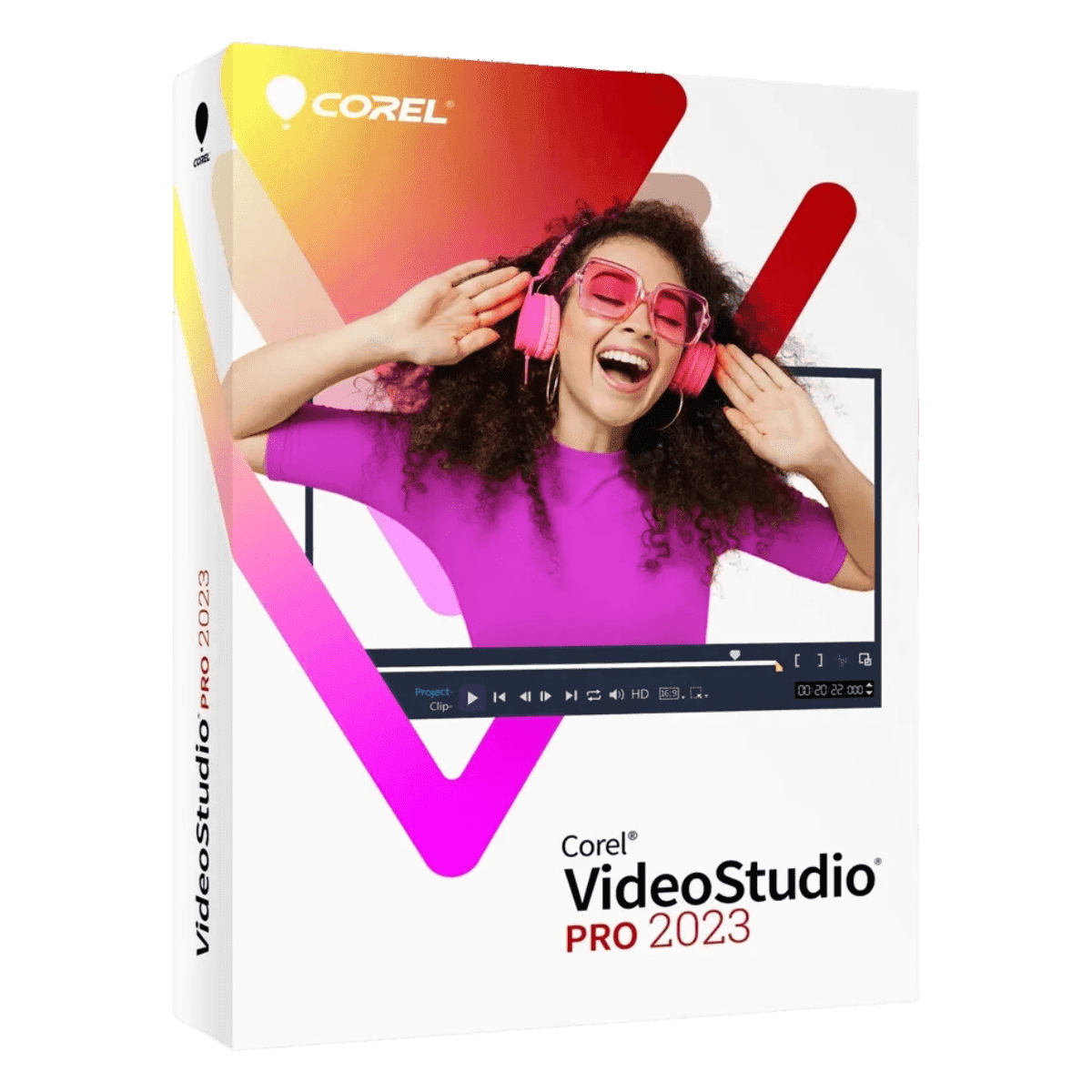
Corel Videostudio Pro 2023

Trusted Shops
Buyer Protection guaranteed refund
Original License Guaranteed by Licensel.com
| Language | Italian, Multi-Language |
|---|---|
| License Duration | Perpetual (no expiry) |
| Operating System | Windows |
| Users | 1 |
Corel VideoStudio Pro 2023 is the video editing program for anyone wanting polished results quickly: filters, effects, titles and transitions are applied by dragging them onto the timeline, and the most tiresome technical corrections are handled automatically. It is the choice of creators, families and small businesses publishing videos on social media and websites. The license is perpetual and is delivered with its product key.
Why choose Corel VideoStudio Pro 2023
Time is the real limit for anyone editing video without doing it for a living: there is plenty of footage, few occasions to work on it, and a program that takes two hours to reveal where a function lives ends up unused. VideoStudio Pro bets everything on speed: you drag an effect onto the clip and see the result immediately, with no nested menus.
At the same time it is no toy: the timeline handles multiple tracks, multi-camera editing synchronises footage shot from different angles and export reaches 4K. Compared with Pinnacle Studio Ultimate it lacks masking with tracking and advanced colour grading, functions that serve commissioned work more than content for your own channel.
What Corel VideoStudio Pro 2023 is and what it is for
VideoStudio Pro 2023 organises work into three steps: capturing material, editing on the timeline and sharing. In editing you cut clips, add transitions, titles and music and correct colour and audio, with an immediate preview of every change.
Among the more recent features are augmented reality stickers, which follow the face or movement of the filmed subject, multi-camera editing to alternate between several takes of the same event and a broad library of creative filters. Export offers presets already set for the main social platforms and mobile devices, so the file produced is immediately in the right format.
Key features
- Fast drag-and-drop editing
Filters, transitions, titles and effects are applied by dragging them onto the clip, with an immediate preview of the result. - Multi-track timeline
Video, images, music and titles on separate layers, with precise cutting and the option to overlay several elements. - Augmented reality stickers
Graphic elements that follow the face or movement of the filmed subject, useful for social media content. - Multi-camera editing
Synchronise footage of the same event from several angles and switch between them during playback. - Automatic colour and audio correction
Harmonises footage shot in different conditions and reduces background noise without adjusting each clip by hand. - Stabilisation of shaky footage
Handheld sequences are corrected automatically, rescuing material that would otherwise be unusable. - Ready titles and templates
Openings, endings and animated titles already set up, customisable in text, colour and duration. - Export up to 4K
Presets for the main social platforms and mobile devices, with control over resolution, format and quality.
Feature overview of Corel VideoStudio Pro 2023
| Feature | Available |
|---|---|
| Multi-track timeline editing | ✔ |
| Ready transitions, titles and effects | ✔ |
| Colour and brightness correction | ✔ |
| Audio correction and soundtrack | ✔ |
| Stabilisation of shaky footage | ✔ |
| Clip cropping and rotation | ✔ |
| Opening and closing templates | ✔ |
| Augmented reality stickers and multi-camera editing | ✔ |
Comparison: Pinnacle Studio Ultimate vs VideoStudio Pro
| Feature | Pinnacle Studio Ultimate 26 | VideoStudio Pro 2023 | VideoStudio Pro X9 |
|---|---|---|---|
| Multi-track timeline editing | ✔ | ✔ | ✔ |
| Included transitions, titles and effects | ✔ | ✔ | ✔ |
| Advanced colour grading | ✔ | Basic | Basic |
| Masking and motion tracking | ✔ | ✘ | ✘ |
| Multi-camera editing | ✔ | ✔ | ✘ |
| Augmented reality stickers | ✘ | ✔ | ✘ |
| 4K export | ✔ | ✔ | ✘ |
| License type | Perpetual | Perpetual | Perpetual |
System requirements
Corel VideoStudio Pro 2023 is compatible with Windows 10 and Windows 11. For detailed requirements see the "Requirements" tab on the product page.
Why are licenses priced so low?
As these are retail licenses previously owned and decommissioned by the former holder in accordance with EU Court ruling C-128/2011, they can be purchased at a more affordable price. These official licenses are fully compliant and guaranteed at the best price on the market.
What do I receive after purchase?
By purchasing this product you will receive the official download of the software from the Corel website, the license for activation and complete instructions for a correct installation.
Advantages of the Licensel License
- Fast delivery by email
You receive the license and the download link within a few minutes of your order. - Always free support
Our technicians assist you via Live Chat and email, at no additional cost. - Invoice included
The invoice is issued automatically once the purchase is complete. - Trusted Shops guarantee
Licensel is a Trusted Shops partner shop: every order is covered by the official buyer guarantee.
How to buy and activate
- Choose your edition
Select the version you need and complete your order in a few clicks. - Receive the license by email
Within a few minutes you receive the official download link and the license for activation. - Install and activate
Download the software from the manufacturer's official website and enter the license to complete activation. - Support included
For any question our technicians are available via Live Chat and email.
How to download and install Corel VideoStudio Pro 2023
The download takes place from the official Corel website through the link you receive by email. Download the installer, run it and follow the wizard: during installation the software asks for the license you received to complete activation. The license is tied to the device on which it is activated. If you prefer to be guided step by step, our technicians can assist you during installation.
Need help with installation?
No problem: our technicians are available via the Live Chat at the bottom right of the website to assist you in real time.
Frequently asked questions
What is the difference from Pinnacle Studio Ultimate?
Do I need editing experience?
Is the license perpetual?
Can I export in 4K?
Does it work on Mac?
DIGITAL Delivery
Guaranteed instant delivery
Customer Support
Always available.
Money-back guarantee
Total satisfaction guarantee.
TrustedShops
Buy with certified confidence.





















