











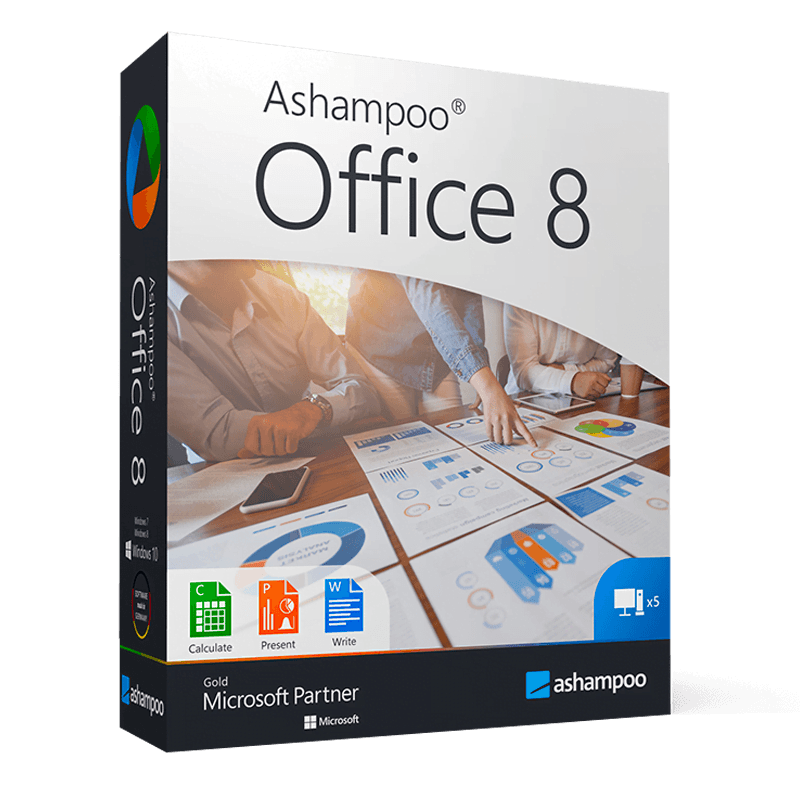

Ashampoo Office 8

Trusted Shops
Buyer Protection guaranteed refund
Original License Guaranteed by Licensel.com
Interface in English. The license allows installation on 5 devices.
| Language | English |
|---|---|
| License Duration | Perpetual (no expiry) |
| Operating System | Windows |
| Users | 5 |
Ashampoo Office 8 is the office suite alternative to Microsoft Office: it includes a word processor, a spreadsheet and a presentation program, all compatible with the DOCX, XLSX and PPTX formats. It is designed for private users, practices and small businesses that need the essential office tools without subscriptions or online accounts. The license is perpetual, covers five devices and is delivered with its product key.
Why choose Ashampoo Office 8
Not everyone needs the full apparatus of Microsoft Office. Anyone who writes documents, keeps accounts in a spreadsheet and prepares the occasional presentation uses a fraction of the available functions, and pays for all the rest anyway. Ashampoo Office covers those tasks with three lightweight applications that open and save in standard formats, so files remain exchangeable with anyone.
The second reason is the licence structure: perpetual, with no renewals, and valid on five devices. For a small business with a few workstations or a family with several computers this changes the arithmetic considerably compared with a per-user subscription. The program also works entirely offline, without requiring an account.
What Ashampoo Office 8 is and what it is for
Ashampoo Office 8 includes three applications: TextMaker for text documents, PlanMaker for spreadsheets and Presentations for slides. Each works natively with Microsoft formats, so a file received in DOCX opens keeping layout and styles and can be returned in the same format.
The functions cover everyday use: styles and automatic tables of contents in documents, formulas, pivot tables and charts in spreadsheets, transitions and animations in presentations. All applications export directly to PDF, useful for sending a document without risking layout changes on the recipient's computer. The suite is markedly lighter than the alternatives and runs well even on older computers.
Key features
- TextMaker for documents
Word processor with styles, automatic tables of contents, footnotes and layout tools for reports, letters and contracts. - PlanMaker for spreadsheets
Formulas, pivot tables, charts and conditional formatting, with compatibility for the functions most used in Excel files. - Presentations for slides
Presentations with transitions, animations and ready-made templates, exportable as video or PDF too. - Compatibility with Microsoft formats
Opens and saves DOCX, XLSX and PPTX keeping layout and styles, so files remain exchangeable with Microsoft Office users. - Built-in PDF export
Every application generates a PDF directly, with no additional programs or virtual printers to install. - No online account needed
The suite works entirely offline: no registration and no active connection are required to use it. - License for five devices
A single license covers five workstations, convenient for a small office or several computers in a family. - Light and fast
It takes little space and starts quickly even on computers with a few years of service behind them.
Feature overview of Ashampoo Office 8
| Included application | Function |
|---|---|
| TextMaker | Word processing and document layout |
| PlanMaker | Spreadsheets, formulas and charts |
| Presentations | Presentations with transitions and animations |
| PDF export | PDF creation from every application |
| Microsoft Office compatibility | Opening and saving in DOCX, XLSX, PPTX |
| Ready-to-use templates | Preset documents, tables and presentations |
| Offline operation | No online account required |
| License for 5 devices | A single license for five workstations |
Comparison: Ashampoo Office 8 vs Microsoft Office
| Characteristic | Ashampoo Office 8 | Microsoft Office |
|---|---|---|
| Word processing, spreadsheets, presentations | ✔ | ✔ |
| Compatibility with DOCX, XLSX and PPTX | ✔ | ✔ |
| Direct export to PDF | ✔ | ✔ |
| Works without an online account | ✔ | ✘ |
| Installation on 5 devices with one license | ✔ | ✘ |
| Built-in cloud storage | ✘ | ✔ |
| Interface language | English | Multi-language |
| License type | Perpetual | Perpetual or subscription |
System requirements
Ashampoo Office 8 is compatible with Windows 10 and Windows 11. For detailed requirements see the "Requirements" tab on the product page.
Why are licenses priced so low?
As these are retail licenses previously owned and decommissioned by the former holder in accordance with EU Court ruling C-128/2011, they can be purchased at a more affordable price. These official licenses are fully compliant and guaranteed at the best price on the market.
What do I receive after purchase?
By purchasing this product you will receive the official download of the software from the Ashampoo website, the license for activation and complete instructions for a correct installation.
Advantages of the Licensel License
- Fast delivery by email
You receive the license and the download link within a few minutes of your order. - Always free support
Our technicians assist you via Live Chat and email, at no additional cost. - Invoice included
The invoice is issued automatically once the purchase is complete. - Trusted Shops guarantee
Licensel is a Trusted Shops partner shop: every order is covered by the official buyer guarantee.
How to buy and activate
- Choose your edition
Select the version you need and complete your order in a few clicks. - Receive the license by email
Within a few minutes you receive the official download link and the license for activation. - Install and activate
Download the software from the manufacturer's official website and enter the license to complete activation. - Support included
For any question our technicians are available via Live Chat and email.
How to download and install Ashampoo Office 8
The download takes place from the official Ashampoo website through the link you receive by email. Download the installer, run it and follow the wizard: at the end the software asks for the license you received to complete activation. The license is tied to the device on which it is activated. If you prefer to be guided step by step, our technicians can assist you during installation.
Need help with installation?
No problem: our technicians are available via the Live Chat at the bottom right of the website to assist you in real time.
Frequently asked questions
Is it compatible with Microsoft Office files?
What language is the interface in?
On how many computers can I install it?
Is the license perpetual?
Do I need an internet connection to use it?
DIGITAL Delivery
Guaranteed instant delivery
Customer Support
Always available.
Money-back guarantee
Total satisfaction guarantee.
TrustedShops
Buy with certified confidence.





















