









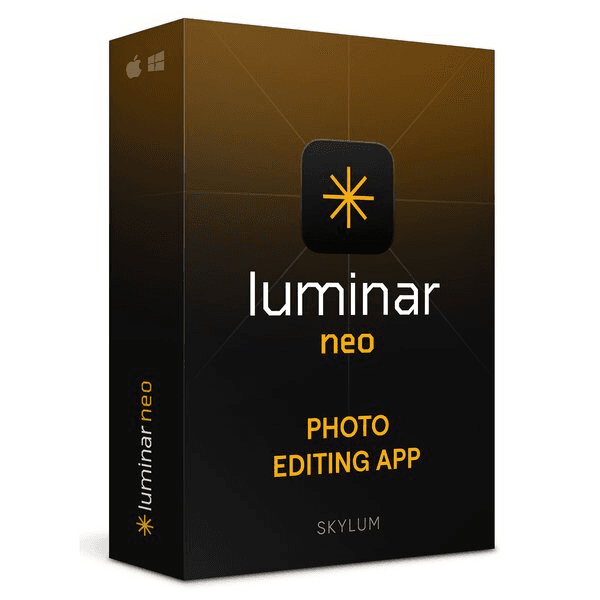
Skylum Luminar Neo

Trusted Shops
Buyer Protection guaranteed refund
Skylum Luminar Neo Original Perpetual License for Windows and Mac
Trusted Shops Guarantee, Fast Email Delivery and Technical Support Included
| Language | Italian, Multi-Language |
|---|---|
| License Duration | Perpetual (no expiry) |
| Operating System | Windows and macOS |
| Users | 1 |
Skylum Luminar Neo is the photo editing program built around artificial intelligence tools: sky replacement, portrait retouching, object removal and light correction take a few steps instead of masks and layers. The license is perpetual and comes with its product key.
Why choose Skylum Luminar Neo
The operations that make the difference to a photograph are almost always the same: the flat sky to replace, the skin to soften without making it look fake, the power line cutting across the frame, the light to reopen in the shadows. In traditional programs each of these takes masks, layers and several minutes.
Luminar Neo exists to shorten that road: it recognises sky, face, background and subject by itself, and applies the correction only where it is needed. People shooting for a living use it to rough out hundreds of frames quickly; those shooting for pleasure get results they would not have the patience to build with masks.
What Skylum Luminar Neo is and what it is for
Luminar Neo works on RAW and JPEG files with the classic exposure, colour and contrast adjustments, and adds a set of tools that recognise the content of the image by themselves. Sky replacement cuts around the outline of buildings and trees, and readapts the light of the rest of the scene to the new sky.
The portrait tools separate skin, eyes, lips and hair and let you work on each without touching the rest. The program runs on its own or as a plugin inside other editors, and the edits always stay reversible: the original file is never overwritten.
Automatic tools: where they work and where the trick shows
- Sky replacement gives itself away by the light, not by the edge
The cutout is almost always perfect. What does not add up is an orange sunset above a landscape lit at midday: the eye notices before the head does. - The reflection on water has to be updated along with the sky
If there is a lake, the new sky has to appear there too. It is the detail that tells a job done in thirty seconds from one done well. - On portraits people always overdo it
Skin smoothed to the maximum removes the pores and produces a wax mask. The right value is the one where the correction is not noticed, not the one where it shows that you have the tool. - Automatic masks by subject are worth more than the effects
Being able to act only on the sky, only on the people or only on the vegetation with one click is the real saving of time, more than any ready-made filter. - Presets should be used at fifty per cent
Almost all of them are tuned to impress in the preview. Halving the intensity is nearly always the point at which they become usable. - Automatic correction is a starting point
It is for seeing in three seconds how far a shot can go. Then you adjust, because no calculation knows what you meant to tell. - Batch processing has to be tried on one photo first
Applying the same correction to two hundred images shot in different light produces two hundred different results, and not all of them good. - What is not delegated to any tool
The choice of which photo deserves the work. That stays the human part, and no automatic function replaces it.
Feature overview of Skylum Luminar Neo
| Feature | Included |
|---|---|
| Automatic search of the photos by subject | ✔ |
| Removal of reflections from glass and surfaces | ✔ |
| Correction of lens distortion | ✔ |
| Extension of the canvas beyond the original edge | ✔ |
| Light effects and sunrays that can be added | ✔ |
| Starting profiles for every kind of scene | ✔ |
| Batch processing of a whole folder | ✔ |
| Export with the size and watermark set | ✔ |
Comparison: Luminar Neo and traditional photo editors
| Feature | Luminar Neo | Traditional editor |
|---|---|---|
| RAW file development | ✔ | ✔ |
| Exposure, colour and contrast adjustments | ✔ | ✔ |
| Sky replacement in a few steps | ✔ | ✘ |
| Automatic selection of face and background | ✔ | ✘ |
| Hand-built masks and layers | Not needed | Needed |
| Non-destructive edits | ✔ | ✔ |
| Use as a plugin of other editors | ✔ | ✘ |
| License type | Perpetual | Often annual |
System requirements
Skylum Luminar Neo is compatible with Windows 10, Windows 11 and macOS. For compatibility with your macOS version and the detailed requirements, see the "Requirements" tab on the product page.
Why are licenses priced so low?
As these are retail licenses previously owned and decommissioned by the former holder in accordance with EU Court ruling C-128/2011, they can be purchased at a more affordable price. These official licenses are fully compliant and guaranteed at the best price on the market.
What do I receive after purchase?
By purchasing this product you will receive the official download of the software from the Skylum website, the license for activation and complete instructions for a correct installation.
Advantages of the Licensel License
- Fast delivery by email
You receive the license and the download link within a few minutes of your order. - Always free support
Our technicians assist you via Live Chat and email, at no additional cost. - Invoice included
The invoice is issued automatically once the purchase is complete. - Trusted Shops partner shop
The official Trusted Shops guarantee protects every purchase made on Licensel.
How to buy and activate
- Choose your edition
Select the version you need and complete your order in a few clicks. - Receive the license by email
Within a few minutes you receive the official download link and the license for activation. - Install and activate
Download the software from the manufacturer's official website and enter the license to complete activation. - Support included
For any question our technicians are available via Live Chat and email.
How to download and install Skylum Luminar Neo
After purchase you receive by email the license and the official download link. Download Skylum Luminar Neo from the manufacturer's website, install it on Windows or Mac and enter the license you received to complete activation. Installation takes a few minutes and needs no particular setup. If you prefer to be guided step by step, our technicians can assist you during the installation.
Need help with installation?
No problem: our technicians are available via the Live Chat at the bottom right of the website to assist you in real time.
Frequently asked questions
Do I need to know masks and layers?
Does it work on RAW files?
Are the edits reversible?
Can I use it inside another program?
Is the license perpetual?
DIGITAL Delivery
Guaranteed instant delivery
Customer Support
Always available.
Money-back guarantee
Total satisfaction guarantee.
TrustedShops
Buy with certified confidence.





















